
Download Trint – AI Transcription, Secure, Multi‑Language Tool
Overview
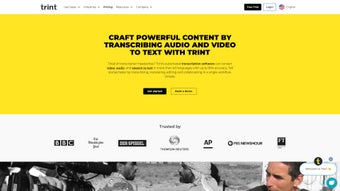
Trint is a cutting‑edge AI‑powered transcription platform that turns audio and video files into searchable, editable text with remarkable speed and accuracy. Leveraging deep‑learning models trained on more than 30 languages, Trint delivers transcription precision that can reach up to 99 % for clear recordings, making it a reliable choice for journalists, researchers, marketers, and anyone who regularly works with spoken content. The interface is built around a clean, web‑based editor that lets users play back media while correcting or annotating the transcript in real time.
Collaboration is baked in: team members can add comments, highlight sections, and assign tasks without leaving the platform, while granular permission settings keep sensitive material protected. Beyond plain transcription, Trint also generates closed captions and automatic translations in over 50 languages, expanding accessibility for global audiences. Security is a top priority; the service holds ISO certifications, encrypts data in transit and at rest, and adheres to strict privacy policies that comply with GDPR and other regulations.
Whether you need a quick transcript of a podcast episode, subtitles for a corporate video, or a searchable archive of interview recordings, Trint streamlines the workflow from upload to export, supporting a variety of output formats such as Word, SRT, VTT, and plain text. Its subscription‑based model includes regular AI updates that continuously improve accuracy and add new language support, ensuring the tool stays relevant as speech‑to‑text technology evolves.
Key Features
- AI‑driven transcription in 30+ languages with up to 99 % accuracy.
- Instant searchable transcripts that can be edited directly in the browser.
- Real‑time collaboration: comments, highlights, and task assignments.
- Granular access permissions for secure sharing within teams.
- Automatic closed‑caption generation and export to SRT, VTT, or WebVTT.
- One‑click translation into 50+ languages for multilingual audiences.
- ISO‑certified security, end‑to‑end encryption, and GDPR compliance.
- Export options: Word, PDF, plain text, CSV, and API integration.
- Mobile‑responsive web app accessible from Windows, macOS, Android, and iOS.
- Continuous AI model updates that improve accuracy and add new language packs.
Installation, Usage & Compatibility
Getting started with Trint is straightforward because it is a cloud‑native service; no traditional installation is required. Users simply create an account at trint.com, choose a subscription plan, and begin uploading files. The platform accepts a wide range of audio and video formats, including MP3, WAV, MP4, MOV, and AVI. After upload, the AI engine processes the file and produces a draft transcript within minutes, depending on length and language complexity.
Trint runs on any modern web browser, making it compatible with Windows 10/11, macOS Ventura and later, as well as mobile browsers on Android 9+ and iOS 13+. Because the application is web‑based, there are no separate client downloads, and updates are applied automatically on the server side, ensuring every user works with the latest features without manual patches.
Once the transcript is generated, users can edit text while listening to the audio, thanks to a synchronized playback cursor. The built‑in search bar lets you locate keywords instantly, which is especially useful for long recordings. Collaboration tools appear in the right‑hand panel, where teammates can leave comments, tag others, and assign action items. Export functions are accessed via a drop‑down menu, allowing you to choose the desired format or push the data to third‑party tools through Trint’s RESTful API.
Pros
- High transcription accuracy across many languages.
- No software to install; works in any browser.
- Robust collaboration and permission controls.
- Integrated captioning and translation features.
- Strong security certifications and GDPR compliance.
Cons
- Subscription pricing may be high for occasional users.
- Internet connection required; offline work is not supported.
- Accuracy can dip with heavily accented speech or poor audio quality.
- Limited customization of AI models for niche industry jargon.
- Export options, while extensive, lack direct integration with some legacy editing suites.
Frequently Asked Questions & Conclusion
Can I try Trint before committing to a paid plan?
Yes, Trint offers a 7‑day free trial that includes 60 minutes of transcription credit, allowing you to evaluate accuracy and workflow before purchasing.
What file formats are supported for upload?
Trint accepts the most common audio and video formats: MP3, WAV, AAC, MP4, MOV, AVI, and many others. Files up to 2 GB are processed without issue.
Is the transcription data stored securely?
All data is encrypted in transit (TLS 1.2) and at rest (AES‑256). Trint is ISO‑27001 certified and complies with GDPR, ensuring that your recordings and transcripts remain private.
Can I integrate Trint with my existing content management system?
Trint provides a robust REST API and webhooks that let you push transcripts directly into CMS platforms, digital asset managers, or custom workflows.
How does Trint handle multiple speakers?
The AI automatically detects speaker changes and tags them as “Speaker 1,” “Speaker 2,” etc. You can rename speakers manually during editing for clearer attribution.
In summary, Trint stands out as a powerful, secure, and user‑friendly AI transcription solution that meets the demands of modern content creators, researchers, and enterprises. Its blend of high‑accuracy speech recognition, real‑time collaboration tools, and built‑in captioning and translation makes it a versatile asset for any workflow that involves spoken media. While the subscription cost may be a consideration for occasional users, the productivity gains and security assurances typically outweigh the expense for professional teams.
Ready to transform your audio and video assets into searchable, editable text? Download Trint today, start your free trial, and experience the speed of AI‑driven transcription for yourself. Your next project is just a click away.
Rating: 4.5 / 5
Trint delivers impressive accuracy and an intuitive collaboration environment, making it a top choice for teams that need fast, reliable transcription. The only downside is the lack of offline capability.



.png)



